A guide to biometric authentication: What it is and how it works
Biometric authentication verifies identity using unique biological traits, rather than something a user knows or carries. It’s a direct response to the failure of passwords.
Passwords are now a primary source of security breaches and IT support overhead. As organizations modernize and scale, introducing autonomous agents and processes into their workflows, these changes compound the risk and make securing digital identity a more complex challenge.
Amongst the many alternative solutions, biometric authentication offers an alternative that replaces knowledge-based credentials with physical identity verification to secure the accounts and identities of humans. This article breaks down what biometrics are, the different types of biometric systems, and the critical security and privacy considerations for any organization evaluating this technology.
Key takeaways
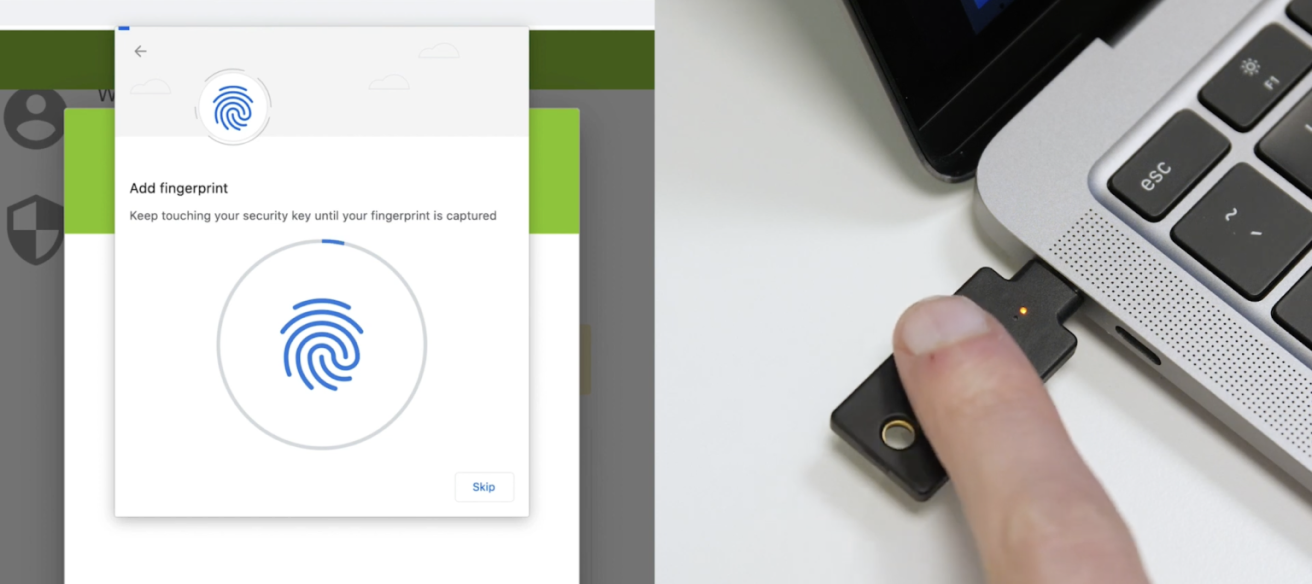
- Your biometric data is permanent, making its storage location the most critical security risk. Unlike changing or resetting a forgotten password, you cannot change your fingerprint or face if the biometric template is stolen. Storing these templates in a centralized database creates a high-value target for attackers, where a single breach can lead to an irreversible, mass identity theft crisis.
- The most secure architecture stores biometric data on a dedicated hardware security key. The security of any biometric system is ultimately defined by its architecture. Storing and matching the biometric templates entirely on a portable hardware security key isolates it from network attacks and also from malware on connected host computers. This decentralized, “on-token” model eliminates the systemic risk of a central database breach and aligns with modern compliance and cyber insurance requirements.
- Use biometrics to unlock a phishing-resistant authenticator, not as the authenticator itself. The most effective use of biometrics is not to send the biometric data itself to a server for verification, as this could lead to its interception during transit. Instead, use it locally to verify your identity to a physical security key or platform authenticator (FIDO2/Web Authentication model). This unlocks the device, which then performs a cryptographic sign-in that is inherently resistant to phishing, as the biometric data never leaves the device.
- Mobile-only biometrics aren’t sufficient for all critical enterprise environments. Relying on your personal smartphone for authentication is not viable in secure facilities, manufacturing floors, or environments where you’re wearing gloves. These operational blind spots require a portable, operating environment-agnostic hardware security key that provides consistent, highest-assurance security across all your workstations.
What are biometrics?
Biometrics are the unique physiological or behavioral characteristics of an individual that can be captured and used for identification and access control. By extension, a biometric authentication system is a security process that verifies a person’s claimed identity by comparing their live biometric data to a previously stored, confirmed record.
Every person has distinct traits that can be used to differentiate them. These traits are categorized into two main types:
- Physiological characteristics: These relate to the physical structure of the body. Examples include fingerprints, facial features, ears, the pattern of the iris or retina in the eye, and hand geometry. These traits are generally static and don’t often change significantly over time.
- Behavioral characteristics: These relate to an individual’s unique patterns of behavior. This can include a person’s gait (how they walk), typing rhythm, voice patterns, or even how they move a mouse.
These collective sets of characteristics can form the basis of a person’s digital identity within a biometric security system.
How biometric authentication works
A biometric authentication system operates on a simple but precise process that involves enrollment, storage, and comparison. Understanding this workflow is key to grasping both the power and the potential vulnerabilities of biometric security.
The process begins with enrollment, where a user’s biometric information is captured for the first time. One or more sensors, such as a fingerprint scanner or a camera, capture the raw biometric data like a fingerprint image or a facial scan.
The system does not store this raw image, however, and instead invokes specialized algorithms to extract unique features from the data – like the specific minutiae of a fingerprint’s ridges or the distances between key facial landmarks – and convert them into a digital representation known as a biometric template. This template is a mathematical file, not a “picture” in the traditional sense of the word.
This template is then securely stored, but its location can vary and have different security implications. For example, the data can be stored locally on a user’s smartphone, a hardware security key, a smart card, or in a centralized database on a server. Whichever location is selected and implemented, will ultimately dictate how data is transmitted, and how accessible it will be once at rest.
When the user needs to authenticate after registration and template storage, they present their biometric trait to the sensor(s) again. The system re-captures the data, creates a new template in the process, and compares it to the stored version. If the two templates match within an allowable tolerance, the person’s identity is verified, and access is granted, otherwise denied. It should be noted that this verification process can be a one-to-one (1:1) comparison to confirm a claimed identity or a one-to-many (1:N) search to identify an unknown individual from a database.
Common types of biometric technology
Various biometric modalities are used in authentication systems today, each with its own set of advantages and applications.
Fingerprint recognition
Fingerprint recognition is one of the oldest and most common forms of biometric authentication. A fingerprint scanner captures the unique pattern of ridges and valleys on a person’s fingertip. This technology is widely used for everything from unlocking a smartphone to providing access control in secure facilities and is used extensively by law enforcement.
Facial recognition technology
Facial recognition systems identify a person by analyzing their unique facial features. A camera captures a facial image, and algorithms measure characteristics like the distance between the eyes, the shape of the cheekbones, the geometry of the mouth and nose, and other distinct features to create a template. This technology is used in a range of applications, most notably from social media photo tagging to government surveillance and airport checkpoints.
Iris and retina recognition
Eye-based biometrics are considered in the upper echelons of practical biometric security, outside of DNA testing. Iris recognition maps the unique, intricate patterns in the colored part of the eye (the iris). Retina recognition involves shining an infrared light to map the unique composition of blood vessels and imperfections at the back of the eye. While a high-quality fingerprint might have about 40 unique data points, an iris can have over 250 unique reference points. Due to their high accuracy, these methods are often used for access control in high-security environments like government buildings and financial institutions.
Voice recognition
Voice recognition analyzes a person’s unique vocal characteristics. It examines both physiological traits, like the shape of the vocal tract, and behavioral traits, like the rhythm and cadence of speech, to create a unique voiceprint. This method is frequently used in banking and customer service call centers to verify a customer’s identity over the phone.
Behavioral biometrics
This emerging category focuses on how a person does something. It includes gait analysis (the way a person walks), keystroke dynamics (the rhythm of their typing), and even the way they interact with a touchscreen on a smartphone. These modern methods are often used for continuous authentication, subtly verifying a user’s identity throughout a session rather than just at login.
The trade-offs: Security, privacy, and convenience
Biometrics offer a more convenient user experience than passwords, but they also introduce a different set of security and privacy challenges you’ll need to carefully consider. The central paradox of biometrics is that your most unique identifiers, your physical and behavioral traits, are also public. You leave your fingerprints on every surface you touch, and your face is visible to anyone you meet.
The challenge of spoofing and liveness
The primary vulnerability in biometric systems is spoofing, where an attacker uses a fake artifact – like a high-resolution photograph for facial recognition or a gelatin replica of a fingerprint – to trick a sensor.
To counter this, many modern biometric systems incorporate “liveness detection,” utilizing both “active” and “passive” techniques to verify the subject is a living human. Active detection requires the user to respond to a challenge, such as blinking, smiling, or following a light with their eyes to prove voluntary motion. In contrast, passive detection works behind the scenes using advanced hardware like multispectral sensors to detect blood flow and skin oxygenation, or 3D depth-mapping (such as LiDAR or structured light) to ensure the biometric isn’t a flat 2D reproduction.
Other realistic threats include genetic likeness from family members who share similar biometric traits, which sophisticated systems must account for. As attackers become more sophisticated, the cat-and-mouse game between spoofing and liveness detection continues.
The permanence of biometric data
Unlike passwords, biometric traits such as fingerprints or facial features can’t be changed if compromised. This makes breaches of biometric systems uniquely sensitive. However, the impact of a stolen biometric template depends heavily on how that template is protected.
Well-designed systems store only non-invertible, encrypted templates that can’t be reverse-engineered into the original image, and standards like ISO/IEC 24745 define protections such as irreversibility and unlinkability. Some systems also employ “cancelable” biometrics, where compromised templates can be revoked and replaced using mathematical transformations.
That said, breaches of poorly protected centralized databases can create long-term risks, and attackers may be able to reconstruct usable biometric samples or apply the stolen template in cross-matching attacks.
Data security and storage concerns
The security of a biometric system often hinges on where the template is stored. Storing templates in a central database creates a high-value target for attackers. A breach could expose the biometric information of countless users and pave the way for ever bigger attacks based on that information.
To mitigate this risk, many modern authentication systems, particularly on smartphones, store the biometric template only on the local device within a secure enclave. In this model, the biometric data never leaves the user’s device, significantly reducing the risk of a large-scale data breach. The ISO/IEC 24745 standard outlines key principles for template protection, including irreversibility (the template cannot be reverse-engineered to the original image) and unlinkability (the template cannot be used to track individuals across different databases).
Probabilistic vs. Deterministic
Unlike digital cryptographic keys or passwords, which are deterministic and require an exact match to grant access, biometric authentication is inherently probabilistic. Because biological traits are subject to “noise” – such as changes in lighting, minor injuries to a finger, or the natural aging process – the system never looks for a 100% identical match.
Instead, it calculates a similarity score based on extracted features and compares it against a predefined threshold. If the score meets this threshold, the user is authenticated. This introduces a “tolerance range” that creates a unique trade-off between security and convenience: setting the threshold too high leads to a high False Rejection Rate (FRR), where legitimate users are locked out, while setting it too low increases the False Acceptance Rate (FAR), potentially allowing an impostor’s data to be accepted as a “close enough” match.
The “where” matters most: De-risking biometrics with decentralized storage models
The security of a biometric system is determined primarily by where the template is stored and matched, though algorithmic protections also play an important role. This storage choice defines the overall risk profile of the authentication solution. Organizations must analyze three primary storage models, each with vastly different implications for data security.
- Centralized server storage: This model represents the highest risk, since storing biometric templates in a central database creates a monolithic target for attackers. A single breach can expose millions of templates at once, creating long-term risks that cannot be easily remediated, since biometrics cannot be reset like passwords.
- Host device storage (PC or smartphone): Storing the biometric template on the user’s endpoint, such as a smartphone or laptop, is a significant improvement. This decentralized approach eliminates the risk of a mass breach, however, it introduces a new vulnerability: the host device itself. If the device is compromised by malware or a sophisticated remote attack, the locally stored template can be targeted, potentially allowing an attacker to misuse the biometric authenticator.
- Portable hardware security key storage: The most secure model for biometric security involves storing and processing the template on a dedicated, portable device, such as a hardware security key. In this “on-token” architecture, the biometric enrollment and matching process occurs entirely within the secure element of the external device. The sensitive template never touches the network or the potentially insecure host computer, effectively isolating it from both network-based attacks and host-device malware. This design inherently enforces data minimization and eliminates the threat of a central database breach, because no such database exists. This is also the architecture behind device-bound passkeys, where the private key is generated and stored entirely within the hardware security key and never leaves the device.
Privacy, consent, and surveillance
The use of biometrics creates direct privacy and regulatory exposure that organizations must manage. The collection of biometric information – especially through covert means like public facial recognition – can enable mass surveillance without an individual’s knowledge or consent. This has led to significant debate and scrutiny from regulators and standards bodies, including NIST in the U.S., EU regulators under GDPR, and state laws such as Illinois’ Biometric Information Privacy Act (BIPA).
Organizations that deploy biometric systems must be transparent about what personal data they collect, how it is used, and how it is protected, both to comply with privacy regulations and to build trust with users.
Meeting the mandate: How biometric architecture impacts compliance and insurability
An organization’s chosen biometric architecture has direct and material consequences for its compliance posture and cyber insurance eligibility. Regulators and underwriters are moving beyond simple multi-factor authentication checkboxes to scrutinize the underlying security model, making the choice of storage and verification mechanism a critical business decision.
Regulations like GDPR classify biometric data as a “special category of personal data” that requires enhanced protection measures. Centralized storage of biometric templates creates a significant compliance liability, as it concentrates immense risk and makes demonstrating adequate control during an audit exceptionally difficult. Conversely, a decentralized architecture where the biometric template is bound to a hardware device and never leaves the user’s control, provides a powerful demonstration of privacy-by-design principles and data minimization, aligning directly with modern regulatory expectations.
Cyber insurance carriers are increasingly requiring MFA, and with advancements in phishing-resistant authentication, more policies are expected to demand highest-assurance models. Organizations should check with their cyber insurance provider to understand current MFA requirements and ensure full coverage.
Biometric solutions that are architected to be phishing-resistant and that eliminate the systemic risk of a central template database are viewed far more favorably. Positioning a decentralized, hardware-bound biometric system allows organizations to meet the stringent requirements of modern compliance frameworks like NIST AAL3 and FIPS 140-3, proving to auditors and insurers that they have implemented the strongest possible controls to protect their digital identity infrastructure.
Beyond login: Using biometrics in a phishing-resistant authentication framework
The strongest application of biometrics is not as a direct password replacement, but as a local user verification method to unlock a phishing-resistant cryptographic authenticator. Modern standards like FIDO2/WebAuthn, co-created by Yubico alongside Google and other FIDO Alliance members, move biometrics from being a factor transmitted over the internet to a factor that proves human presence to a device in the user’s possession.
In this model, a fingerprint scan or facial recognition does not authenticate the user directly to a remote service. Instead, it unlocks a hardware or platform authenticator (e.g., a Trusted Platform Module or TPM, Secure Enclave, or hardware security key), which then performs a cryptographic challenge–response with the service. The biometric data never leaves the device.
This framework is also phishing-resistant because of origin binding, whereby cryptographic signatures are bound to any given website’s origin, making stolen credentials useless on fake or look-alike phishing sites. By reframing biometrics as a way to unlock trusted keys, organizations gain their convenience without the risks of transmitting or centrally storing this irreplaceable data.
The operational blind spot: Biometrics in mobile-restricted and shared-device environments
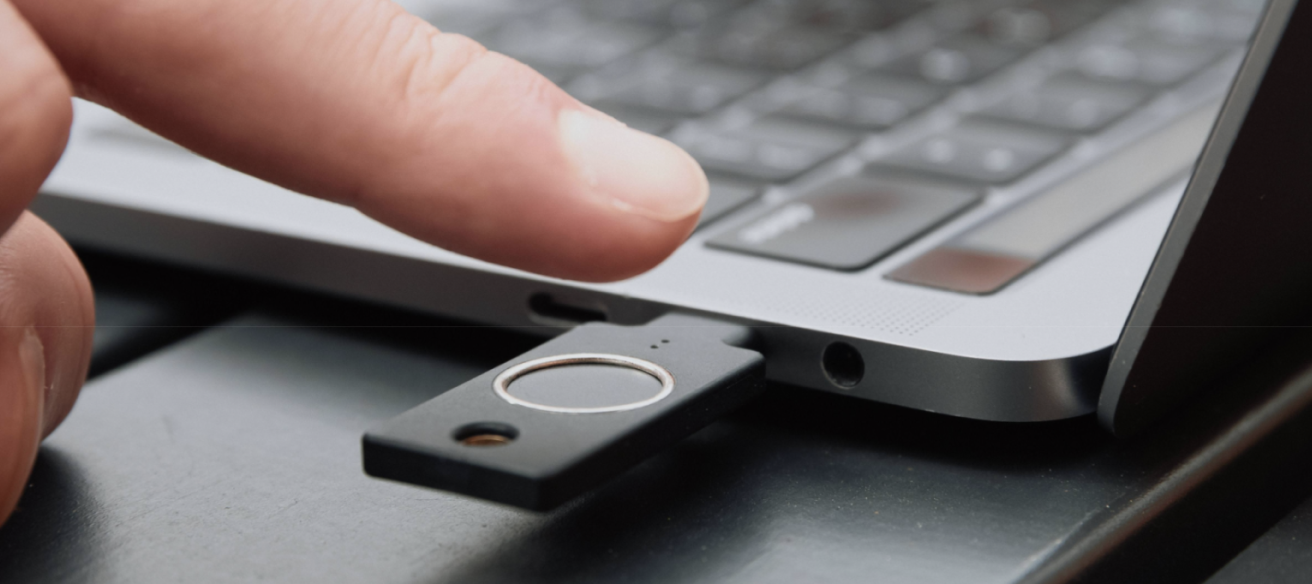
Mobile-first biometric solutions that rely on an employee’s personal smartphone don’t cover all enterprise and industrial environments. They introduce security and usability gaps in sectors where phones are prohibited, impractical, or not tied to a single user. Assuming every employee can authenticate with their own phone overlooks these operational realities.
Consider the following environments and scenarios:
- Secure and clean environments: In government facilities, control rooms, manufacturing floors, or hospital clean rooms, personal phones are often restricted for safety or security reasons, making them unsuitable for authentication.
- Shared workstations: Call centers, retail point-of-sale systems, and medical stations often require multiple employees to log in to the same computer across shifts. Mapping authentication to a personal device is often impractical in this use case.
- Gloved or rugged environments: Workers in logistics, healthcare, or field services frequently wear gloves, masks, or goggles that make smartphone fingerprint or face recognition unreliable.
To address these gaps, organizations need device-agnostic authentication. A portable hardware security key with biometric support lets each employee securely access any authorized device, providing consistent, highest-assurance authentication across both office and industrial settings.
For a deeper look at planning and deploying biometrics across these environments, see Yubico’s best practices guide for enterprise biometric security.
The evolution toward multimodal and hardware-based security
To address the limitations of single-modality systems, the industry is increasingly moving toward multimodal biometrics. These combine two or more biometric traits, like fingerprint and facial recognition, to provide layered authentication. When implemented correctly, an attacker would need to spoof multiple traits simultaneously, making compromise significantly harder.
The future of authentication will treat biometrics not as a standalone credential, but as a convenient way to unlock phishing-resistant cryptographic authenticators. The convenience of a fingerprint scan or facial recognition is undeniable, but the true security of that process depends on multiple factors: the integrity of the matching algorithms, the presence of liveness detection, and where the biometric template is stored.
As Generative AI-driven threats like deepfakes advance, protecting biometric data with verifiable, hardware-based security is critical.
Yubico: Turning biometric convenience into enterprise-grade security
Biometrics promise convenience, but they also introduce challenges: permanent identifiers that cannot be reset if compromised, risks of centralized storage compromise, spoofing threats, gaps in mobile-restricted environments, and direct regulatory exposure under frameworks like GDPR and BIPA.
Yubico addresses these challenges across its full portfolio of biometric hardware security keys, transforming biometrics from a vulnerable convenience feature into a trusted component of phishing-resistant authentication, creating phishing-resistant users whose credentials are protected against phishing, interception, and replay attacks.
Eliminating central database risk with device-bound biometrics
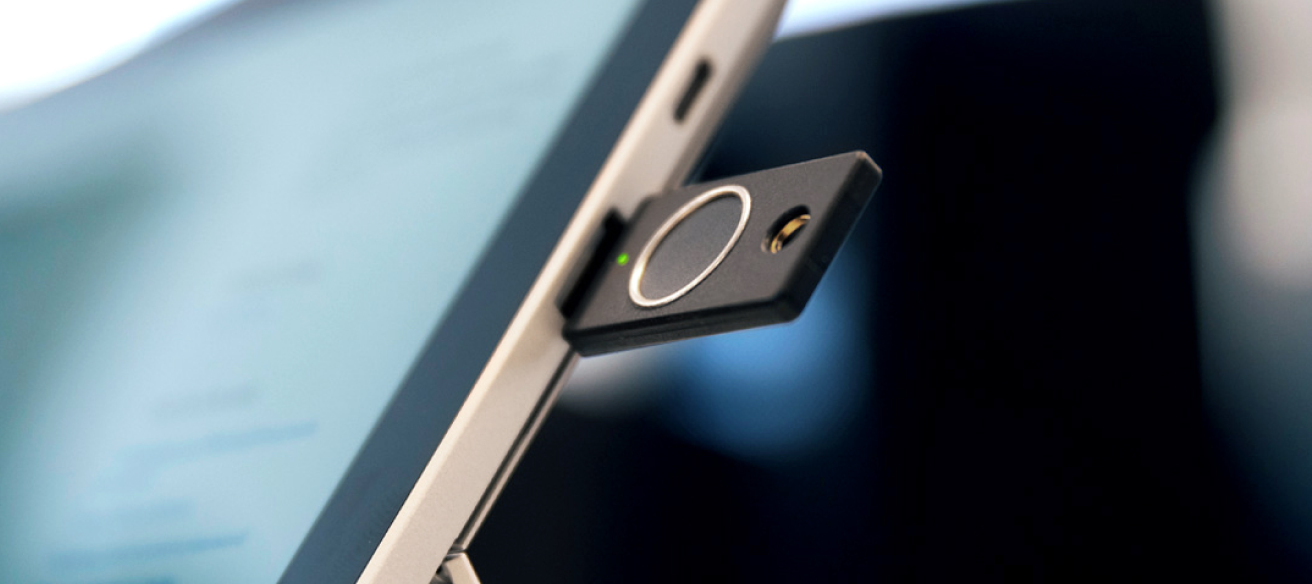
The YubiKey Bio Series brings biometric authentication directly onto the hardware security key. Fingerprint templates are stored and matched entirely within the key’s secure element and never leave the device. This eliminates the systemic risk of centralized biometric databases: there is no server-side template to breach, no network transmission to intercept, and no central repository that puts every enrolled user at risk simultaneously.
While the YubiKey Bio Series offers a modern, high-assurance experience, it is important to note that it provides a different kind of security rather than a higher level of security compared to the YubiKey 5 Series. The Bio Series is ideal for environments where user experience and speed are paramount. For environments requiring legacy protocol support (like OTP or OpenPGP), the YubiKey 5 Series remains the standard.
- Same Cryptographic Core: Both series utilize the same robust hardware-backed standards (such as FIDO2/WebAuthn) to protect against phishing and account takeovers.
- The Biometric Advantage: The Bio Series adds a layer of user convenience. Once a PIN is registered, it becomes the backup user verification method, but day-to-day authentication uses a fingerprint touch instead of typing a PIN, greatly reducing its use.
- Streamlined Workflow: Biometrics allows for a “touch and go” authentication experience. Users touch the key to log in, the same way they would tap a fingerprint sensor on a phone, without compromising the underlying cryptographic integrity. It further provides a seamless passwordless experience that reduces friction for employees.
Phishing-resistant by design through origin binding
The YubiKey Bio Series pairs on-device biometrics with the FIDO2/WebAuthn framework described above. The fingerprint unlocks the authenticator locally, and through origin binding, the authenticator only responds to the legitimate, previously registered domain of the relying party. Even if a user is directed to a convincing phishing site, authentication instantly fails because the domain will not match. Because the biometric never serves as a network credential, there is nothing for an attacker to intercept and replay.
Phishing-resistant coverage for every environment
For the environments described above where biometrics are impractical or unnecessary, the YubiKey 5 Series provides the same phishing-resistant FIDO2/WebAuthn protection using PIN and touch for user verification. The same origin binding applies, delivering identical protection against phishing and attacker-in-the-middle attacks (also known as man-in-the-middle attacks), without requiring a fingerprint. The YubiKey 5 Series also supports multiple authentication protocols, giving organizations a bridge from legacy systems to modern, phishing-resistant authentication on a single device.
Validated for regulated industries
The YubiKey 5 FIPS Series extends this coverage with FIPS 140-3 validated cryptography. All YubiKey models achieve AAL3 in approved multi-factor configurations. FIPS validation adds the specific certification mandated for federal employees and contractors, allowing regulated organizations to meet compliance requirements without compromising usability.
Scalable for global workforces
Authentication is only effective if every employee can use it. Through YubiKey as a Service organizations can equip employees, contractors, and partners worldwide with hardware security keys, closing the gaps that mobile-only biometrics leave in phone-restricted and shared-device environments.
With YubiKey as a Service, organizations benefit from simple and scalable global deployments of YubiKeys for their workforce, fast-tracking to phishing resistance and passwordless at scale. Customers also have access to turnkey Enrollment and Delivery services that help IT get users quickly onboarded with YubiKeys to fast track to phishing-resistance and then get YubiKeys to end users across the world, including corporate and residential addresses.
Securing the root of trust
While individual authentication protects user access, the YubiHSM 2 secures the cryptographic foundation that makes hardware-based biometric systems trustworthy, helping maintain the chain of trust across zero-trust architectures.
FAQs
Can biometric data be stolen or compromised?
Yes, biometric data can be compromised, particularly when stored in centralized databases. Well-designed systems mitigate this risk through encryption, irreversible templates, and ideally, storing biometric data only on local secure hardware rather than in central repositories.
Are some biometric methods more secure than others?
Yes, some biometric methods offer different security levels based on their uniqueness and resistance to spoofing. For example, iris scanning is considered much more secure than voice recognition or even fingerprinting. Multimodal biometrics that combine multiple factors (like fingerprint plus facial recognition) generally provide higher security than single-factor approaches.
What happens if my biometric data changes due to injury or aging?
Most modern biometric systems account for natural changes over time through adaptive matching algorithms. For significant changes due to injury, most systems offer alternative authentication methods or administrator-assisted re-enrollment processes.
Can I use biometrics if I have a disability?
Most organizations should provide alternative authentication methods for individuals who cannot use standard biometric systems due to disabilities. This is both a legal requirement in many jurisdictions and a best practice for accessible and inclusive security design.
How do biometrics work with Zero Trust security models?
Biometrics complement Zero Trust architectures by providing strong user verification at the access point. When implemented with hardware-based security and phishing-resistant standards like FIDO2, biometrics help verify that the correct user is present without relying solely on credentials that could be stolen.