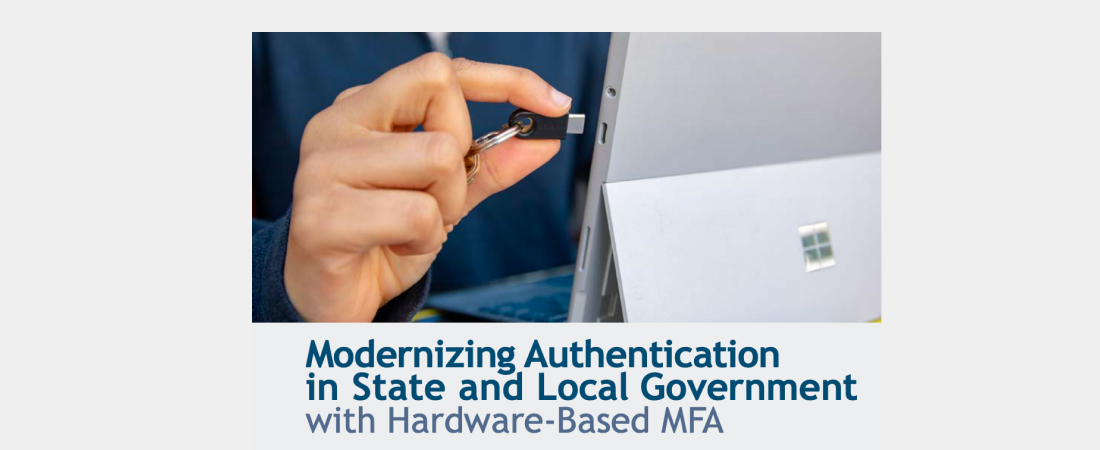
As passkeys continue gaining momentum with both businesses and security-conscious individuals worldwide, naturally, many questions – and myths – arise, including the different forms of passkeys like YubiKeys. As the creator of the original passkey – passkeys created and stored in physical devices known as security keys – Yubico is proud and humbled to have helped initiate and continue to drive the ongoing transformation.
Since 2007, Yubico’s mission has been to make the internet more secure. In doing so, we have pioneered the modern hardware security key and co-created the open standards — FIDO2/passkeys, WebAuthn, and U2F — that underpin passwordless authentication as known today. During this time, we have worked closely with organizations around the world to stop advanced cyber attacks like AiTM-based phishing, and it’s our mission to continue making the internet more secure – and clearing up common myths and misconceptions about passkeys and YubiKeys.
This post addresses five of the most common myths about YubiKeys , and explains why phishing-resistant device-bound passkeys have become the baseline for secure authentication.
Myth #1: Only IT needs YubiKeys
A common belief is that only IT administrators or privileged users need YubiKeys. It’s true that these accounts are among the most critical – they hold extensive access rights, and their compromise can cause significant damage. YubiKeys not only make these users phishing-resistant, but also consolidate authentication across multiple scenarios to a single authenticator: client and server logon, RDP, SSH, privilege escalation (on-premises and in the cloud), commit signing, code signing, and more. Protecting IT and other privileged accounts with YubiKeys is something every organization must prioritize – but it just shouldn’t stop there.
If only privileged users are protected, the organization is effectively locking the front door while leaving the windows open. Every employee can be a target of phishing, and less technical users are statistically more likely to fall for such attempts – often enabling an attacker’s initial access. Because of this, it’s just as important (if not more so) to provide all users with phishing-resistant authentication – and with YubiKeys, there are additional benefits when protecting these groups. The ultimate goal is comprehensive protection: all users, all use cases.
YubiKeys deliver consistent, hardware-backed protection across all users and platforms, supporting both USB and NFC (PC, Mac, Linux, as well as handhelds like phones and tablets). They’re not only more secure than app-based MFA and alternative methods, but often simpler to use; With a YubiKey 5 Series device, for a passwordless login, you simply enter a PIN and touch the YubiKey - that’s it. With a YubiKey Bio, you just touch it and you’re logged in. This translates to lower friction, faster logins, and reduced cost.
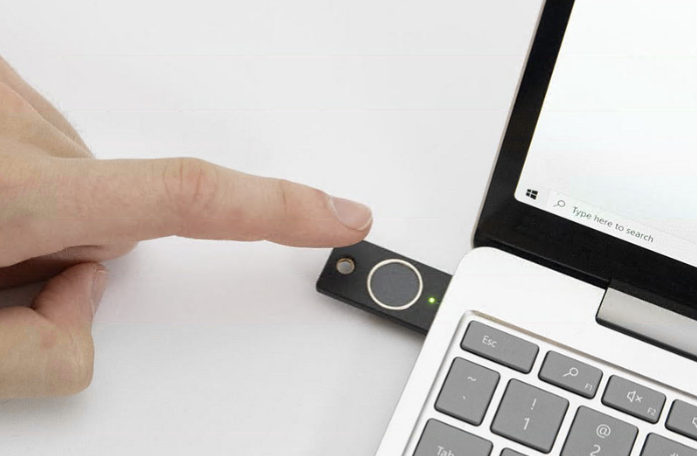
With the YubiKey Bio you simply touch the YubiKey (once) and you’re logged in.
Myth #2: Deploying YubiKeys is difficult
The understanding that more ( ideally all) users should use YubiKeys inevitably leads to another common misconception: that deploying them is difficult or logistically complex. This belief likely stems from experiences with older generations of hardware tokens – battery-powered devices with LCD screens that required initial distribution, frequent RMA replacements, and significant and recurring end-user support.
YubiKeys are notably unique and different: They have no batteries, no displays, and no moving parts. Built from durable glass-filled polymer, they are designed to simply work.
At scale, deployment can be streamlined through Yubico’s FIDO Pre-Reg, initially developed in collaboration with both Okta and Microsoft. This enables organizations to automate pre-registration of user credentials, apply PIN policies, and configure YubiKeys before shipment. Yubico can then deliver devices directly to users – fully configured and ready for immediate use.
Upon arrival, the user only needs to insert the YubiKey, change the initial PIN, and touch it when prompted. There’s no configuration burden for either IT or the end user, and logistics can be fully offloaded to Yubico.
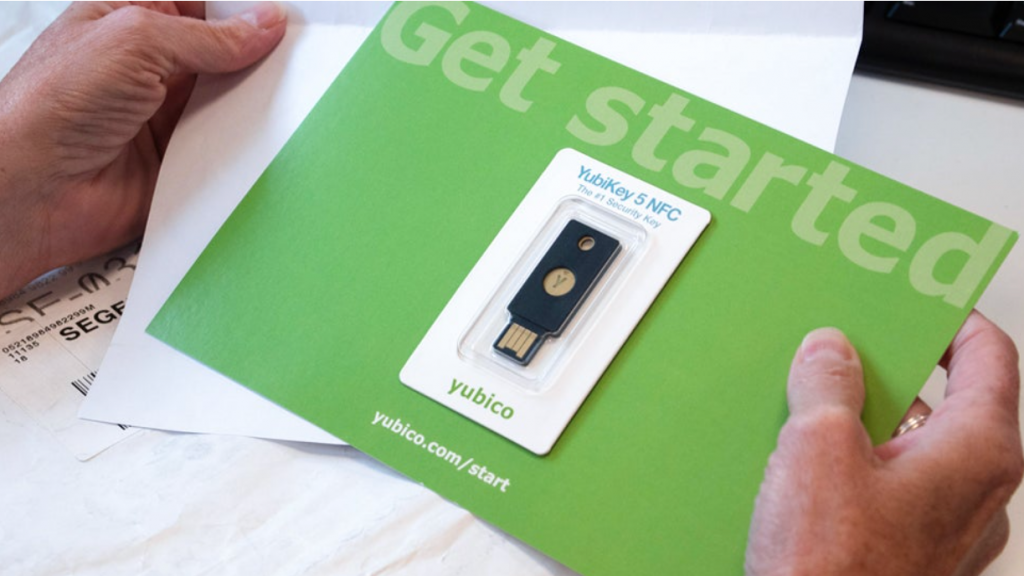
With Yubico’s FIDO Pre-Reg a YubiKey can be configured and shipped directly to the end-user.
For organizations that prefer (or are mandated) to manage distribution or onboarding internally – or to complement FIDO Pre-Reg – YubiEnroll, a free tool built on Microsoft and Okta APIs, allows IT teams or delegated staff to configure, register, and repurpose YubiKeys efficiently throughout the user lifecycle.
With these comprehensive tools, YubiKey deployment becomes faster, cheaper, and more reliable – not only compared to legacy MFA solutions like OTP tokens or competing security keys, but often even simpler than app or platform-based MFA.
Myth #3: Users must have two YubiKeys
Our third myth is that users must have two YubiKeys. This recommendation is common, and while it’s a great practice for many of our enterprise and consumer users, it’s not always a one-size-fits-all solution.
Let’s start with the underlying challenge: Organizations understand that when a user can’t log in, productivity suffers - and so do operational costs. Supporting users who lose access or require account recovery is both time-consuming and expensive. From this perspective, having a backup authentication method or the ability to quickly restore access makes perfect sense.
However, an equally important - but often overlooked - factor is security. If the backup method or recovery process doesn’t offer the same level of assurance as the primary method (the YubiKey), it effectively becomes an attack vector.
In light of this, providing every user with two YubiKeys is a sensible solution. In the consumer space, where access to Support is limited or non-existent, it’s actually a sound recommendation: if you lose your YubiKey and need to regain access to your personal accounts, having a spare is both convenient and practical.
In the enterprise context, however, a more nuanced approach can deliver great results. For example, organizations can:
✅ Maintain a buffer (for example, 20% of the local user population) of unassigned YubiKeys at branch offices or with local IT for rapid reissuance.
✅ Enable registration of alternative authentication methods of equal authentication strength such as Windows Hello for Business (WHfB).
In practice, this could mean an employee uses a YubiKey as their primary method and Windows Hello as a secondary, depending on platform support or user preference. Or it could mean that local IT staff use YubiEnroll (or an equivalent third-party tool) to assign a replacement YubiKey on-demand – allowing users to recover access and productivity within minutes.
Having two YubiKeys per user is one great option for assurance – but not the only one. What truly matters is ensuring every user always has access to a phishing-resistant authentication method to be a phishing-resistant user throughout its lifecycle, while minimizing both administrative burden and recovery friction.
Myth #4 : All MFA is equal
An unfortunate yet persistent misunderstanding, even among IT professionals, is that any MFA is “good enough” – or that all MFA solutions within the same category (for example, phishing-resistant) are interchangeable. This belief is both dangerous and incorrect, as not all MFA methods provide the same level of security.
One-time passwords (OTPs) – whether generated by an app or sent via SMS/text are not phishing-resistant. They rely on shared secrets that can be stolen from a server, within the supply chain, or captured through a man-in-the-middle (MiTM) attack. Once cloned, intercepted, social engineered, or otherwise compromised, an attacker can easily gain access.
Push-based authentication methods (also OTP-based), while convenient, introduce their own risks. “Push bombing” attacks, where an attacker repeatedly sends login prompts until a user unknowingly approves one, have become increasingly common. Security enhancements such as number matching or location prompts improve protection slightly, but at the cost of user experience. They also do little to defend against today’s more advanced phishing techniques, such as Adversary-in-the-Middle (AiTM) attacks.
YubiKeys, in contrast, provides phishing resistance by design. When configured as a device-bound passkey or a certificate-based (PKI) credential, a YubiKey delivers true phishing-resistant authentication without requiring user vigilance or special training – even against the most sophisticated attacks like AiTM’s.
While the YubiKey has become synonymous with security keys, FIDO2, and device-bound passkeys – the core technologies defining modern phishing-resistant MFA – there are, of course, other options available This is where Yubico delivers several important advantages:
✅ All YubiKeys are FIDO Level 2 certified, ensuring robust attestation and hardware-backed assurance. Most competing products are Level 1 certified, if at all.
✅ They are designed, developed, and Made in the USA and Sweden under strict quality and security standards.
✅ Beyond the hardware, Yubico provides free tools like cross-platform configuration apps, SDKs, and lifecycle management utilities that make enterprise-wide deployment and management straightforward and cost-effective. Most competing vendors provide no tools or rely on Yubico’s open source projects to make their products work.
Myth #5 : YubiKeys are expensive
Our fifth and final myth challenges one of the most common objections we hear when discussing phishing-resistant authentication: cost. At first glance, YubiKeys may appear costly – certainly more so than app-based MFA methods, which are often perceived as “free” or even compared to some low-cost hardware alternatives. Yet, this perception misses the bigger picture.
A YubiKey is designed with durability in mind to last – without batteries, moving parts, or maintenance. Cheaper alternatives may reduce upfront costs, but often lead to a higher total cost of ownership through replacements, increased Helpdesk volume, and lost productivity when users are unable to authenticate. The absence of enterprise-grade tools and utilities further amplifies these hidden costs.
App-based MFA, while convenient, brings its own financial and operational burdens. Each enrolled user typically relies on a company-issued smartphone that costs roughly $1,000 every two to three years, plus recurring expenses for connectivity, endpoint management, and user support – especially during refresh cycles when authenticator apps must be reinstalled and re-registered.
In reality, many organizations have seen limited productivity gains from these devices in the context of user mobility. Post-pandemic, the average employee is more stationary than ever - and already equipped with a laptop, when mobility is required. The corporate phone, in many cases, has shifted from a productivity tool to an employee perk and an MFA host - effectively making it a thousand dollar authentication app. By comparison, the YubiKey starts at $29 and the average YubiKey costs around $50 – less than a single Helpdesk ticket for resetting a password or reinstalling an app.
Beyond cost, mobile-based MFA also falls short on security. Most implementations are not phishing-resistant (some can be made to be), so the premise for cost comparison falters.
From a risk management and ROI perspective, YubiKeys are not a cost but a strategic investment. According to IBM’s 2024 Cost of a Data Breach report, the average incident costs approximately $4–5 million. Deploying phishing-resistant MFA such as YubiKeys can reduce that risk by more than 99%.
For organizations prioritizing budget predictability, Yubico also offers YubiKeys as a Service - a subscription model that spreads costs over three years, includes annual replacement allowances, and simplifies both budgeting and staff lifecycle management.
A phishing-resistant future with YubiKeys
In closing, YubiKeys are not just another MFA option, nor a tool reserved for IT. They represent a foundational element of a modern ‘Zero Trust’ architecture or ‘MFA everywhere’ initiative – one that delivers measurable security outcomes without compromising user experience.
When deployed organization-wide, YubiKeys significantly strengthen identity assurance, reduce authentication friction, and lower operational overhead. The result is not only an enhanced security posture but also tangible business value: greater workforce productivity, fewer support costs, a clear, positive impact on ROI, and most importantly, peace of mind.